
Overview
Better Auth is a TypeScript-first, self-hosted auth library that stores users in your own Postgres. The InsForge CLI scaffolds a small bridge route that reads Better Auth's session cookie and signs an HS256 JWT with InsForge's secret, so PostgREST and Row Level Security accept the request natively.
Better Auth's tables live in a dedicated better_auth schema. PostgREST exposes only public, so user emails and sessions are hidden from the data API by construction.
Prerequisites
- An InsForge project (self-hosted or cloud)
- A Postgres database for Better Auth's tables — self-hosted InsForge shares the same Postgres for free; cloud needs a connection string to a Postgres you control
Step 1: Scaffold the Project
npx @insforge/cli link --project-id <your-project-id> --auth better-auth
Run this in your Next.js project. If you don't have one yet, create one first (npx create-next-app@latest) — or spin one up in your InsForge dashboard and link to it.
The CLI drops in a Better Auth server + React client, the bridge route at /api/insforge-token, working /sign-up and /sign-in pages, a useInsforgeClient hook, and a bootstrap migration that creates the better_auth schema and the requesting_user_id() SQL helper. .env.local is pre-filled with your project's URL, anon key, JWT secret, and DATABASE_URL (fetched from your linked project).
Step 2: What --auth better-auth Already Did
After dropping the scaffold files in place, the CLI automatically ran npm install and npm run setup, which chains:
insforge db migrations up --to 0001— creates thebetter_authschema,pgcrypto, and therequesting_user_id()function that extracts thesubclaim fromrequest.jwt.claims.better-auth migrate— createsuser,session,account,verificationtables. Withsearch_pathscoped tobetter_auth, public, they land inbetter_auth.*.insforge db migrations up --all— picks up any further migrations you add (for your own RLS-protected tables).
Setup failed? If the CLI logged
npm run setup failed, the most common cause isDATABASE_URLpointing at an unreachable Postgres. Fix.env.localand re-runnpm run setup— it's idempotent.
Step 3: Run Your Application
npm run dev
Open http://localhost:3000/sign-up, create a user, and you'll be redirected to /. The new user lives in better_auth.user — switch the Studio schema dropdown to better_auth to see it (Studio reaches better_auth.* through its admin route, even though PostgREST hides it from the data API):
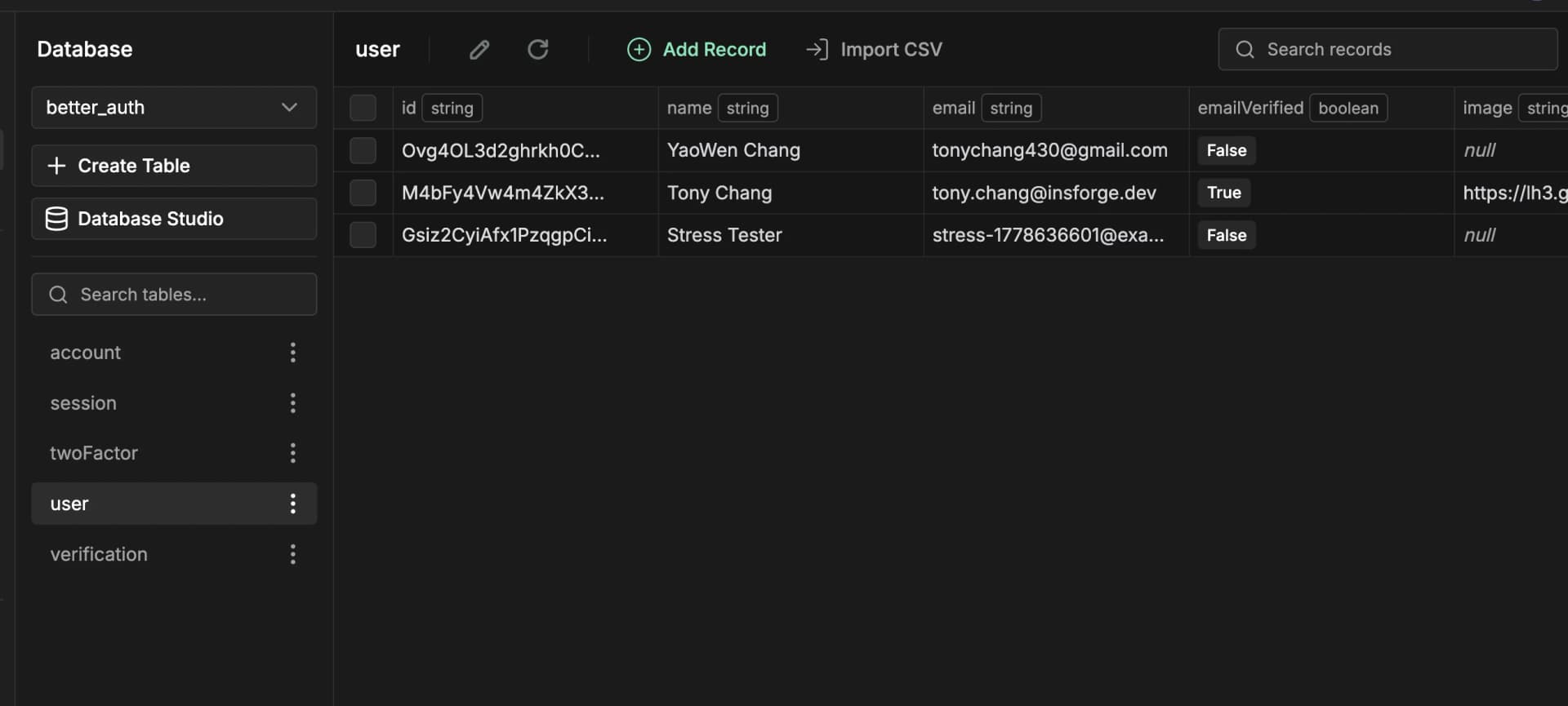
Why is InsForge's Auth > Users empty? Authentication is handled entirely by Better Auth, so user records live in
better_auth.user— not in InsForge's nativeauth.userstable. InsForge only sees the JWT claim (sub) that RLS uses to scope data to the correct user.
Adding Your Own RLS-Protected Tables
Ask your agent to complete the following:
1. Create an RLS-protected table
Create a posts table with RLS. Columns: id, user_id, title, body, created_at. Better Auth user IDs are strings, so user_id is text and FKs to better_auth."user"(id). Users should only see and modify their own rows.
This creates a migration with the table and an RLS policy that scopes every query to the signed-in user.
2. Build the page
Build a posts page with full CRUD using the useInsforgeClient hook from src/lib/insforge.ts.
Sign up as a second user in an incognito window — they see an empty list, never the first user's rows. That's RLS working through the bridged JWT.
Further Reading
- Scaffold source — the template files the CLI drops into your project
- Better Auth + InsForge skill reference — Vite / React-only setups, plugins (organization, twoFactor, magicLink), email transport via
client.emails.send, realtime, cross-origin gotchas, and a Common Mistakes table - Better Auth plugins — plugins that add tables (
organization,twoFactor,apiKey,passkey, …) write to whatever schema BA's pool sees insearch_path— i.e.,better_auth— so they inherit the same data-API isolation as the core four tables automatically.